
Most website launches need a few changes on your domain: pointing it at the new site, adding email records, or verifying Google. Delegate Access gives me exactly that, and nothing like your card details, password or order history.
- You’ll need: The login for your GoDaddy account.
- Sign in at account.godaddy.com/access (opens in a new tab), which opens the Delegate Access page directly.
- My email for the invite: info@lerws.com
- GoDaddy invites expire in about two to three days, so send it when I’m ready to accept.
Open Delegate Access
Go to Account Settings > Delegate Access, or use the link above.
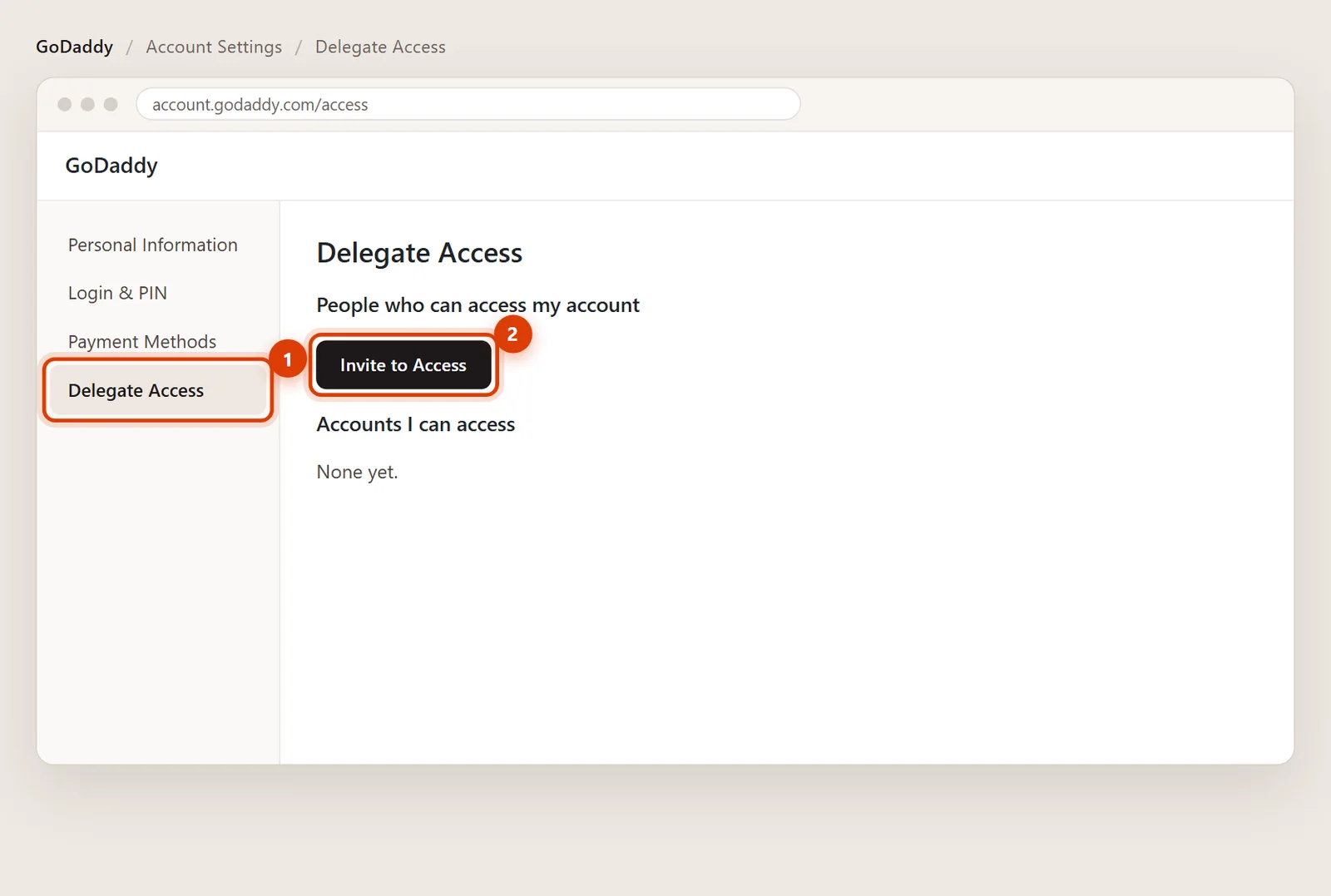
Click Invite to Access
Under People who can access my account, click Invite to Access.
Enter my name and email, choose the level
Name Ed Romero, email info@lerws.com. For the access level, choose Products & Domains. Choose Products, Domains, & Purchase only if you want me to renew or buy things on your saved card.
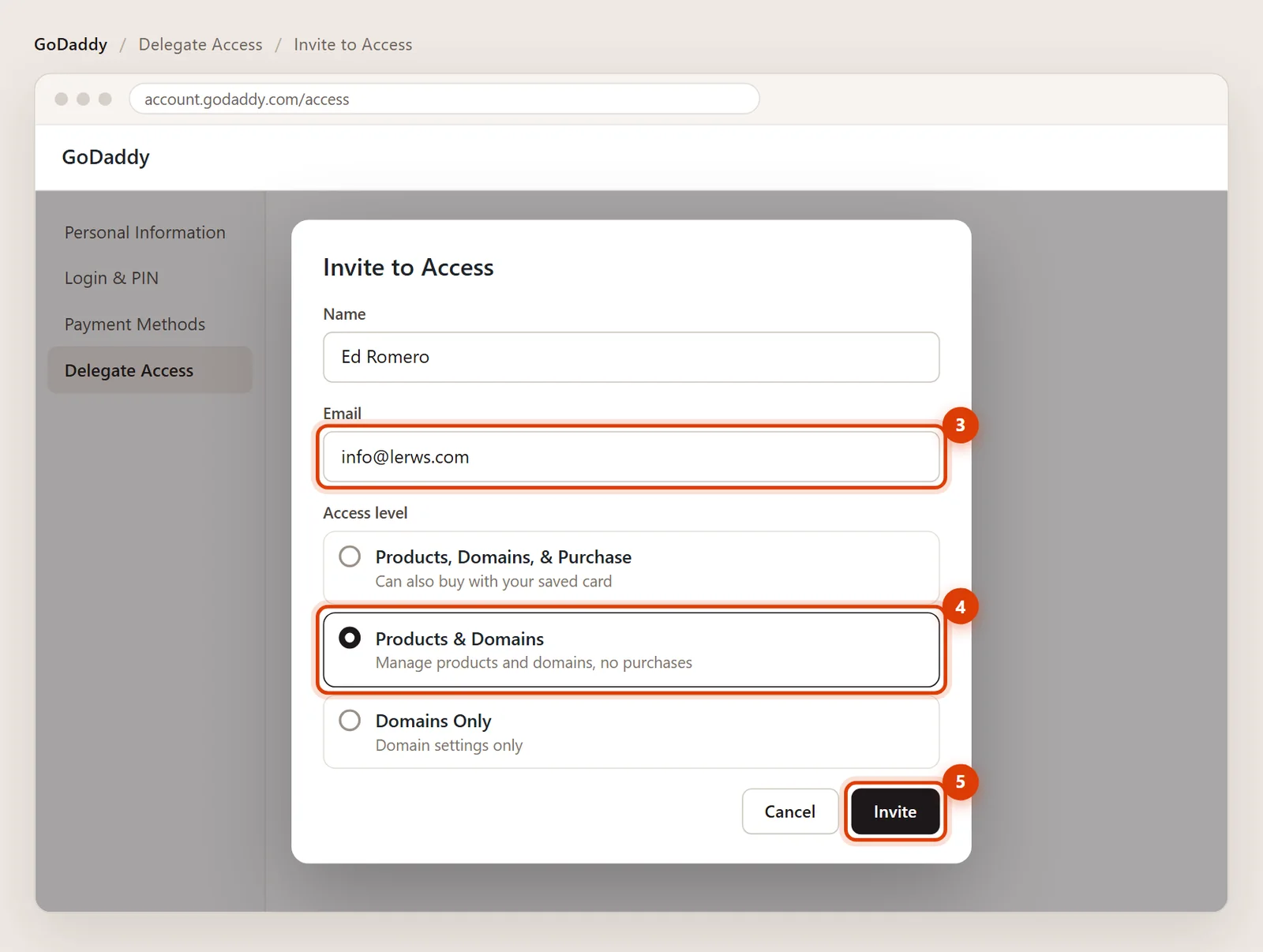
Click Invite
Click Invite. I confirm it from my email, and I’m listed as a delegate on the same page.
What I still can’t do
Even with access, a delegate can’t see your password or PIN, change payment methods, view your order history or invite other people. Those stay with you.
Removing my access later
On the Delegate Access page, find my name under People who can access my account and click Remove.
Then the steps are different, but most registrars (Namecheap, Squarespace Domains, Cloudflare) have a similar way to add a user. Tell me where it is and I’ll send you the right steps.
GoDaddy invites last two to three days. Remove the pending invite and send a new one; it takes a minute.