
Google Analytics shows who visits your website and what they do there. To read your reports, fix tracking or connect it to Google Ads, I need my own login to it. Never share your password: add me as a user instead.
- You’ll need: Administrator role on your GA4 property.
- Sign in at analytics.google.com (opens in a new tab) with the Google account that owns your Analytics.
- You need the Administrator role on the property. If you don’t see the plus button in step 3, ask whoever set up Analytics to add me, or to make you an Administrator first.
- My email for the invite: info@lerws.com
Open Admin
Click Admin at the bottom of the left menu (the gear icon). You’ll see two columns: Account and Property.
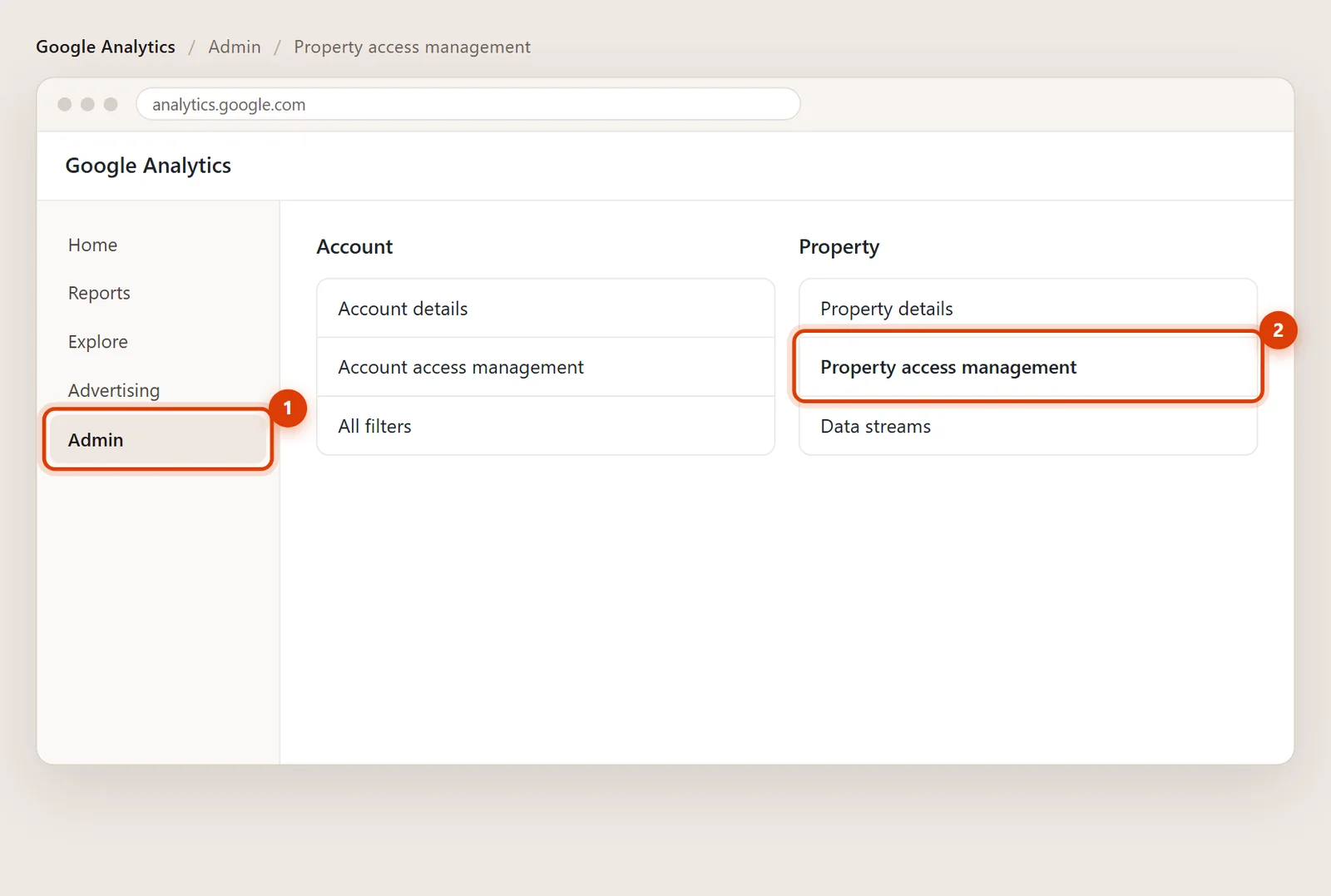
Choose Property access management
Under Property, click Property access management. Some screens just say Access management.
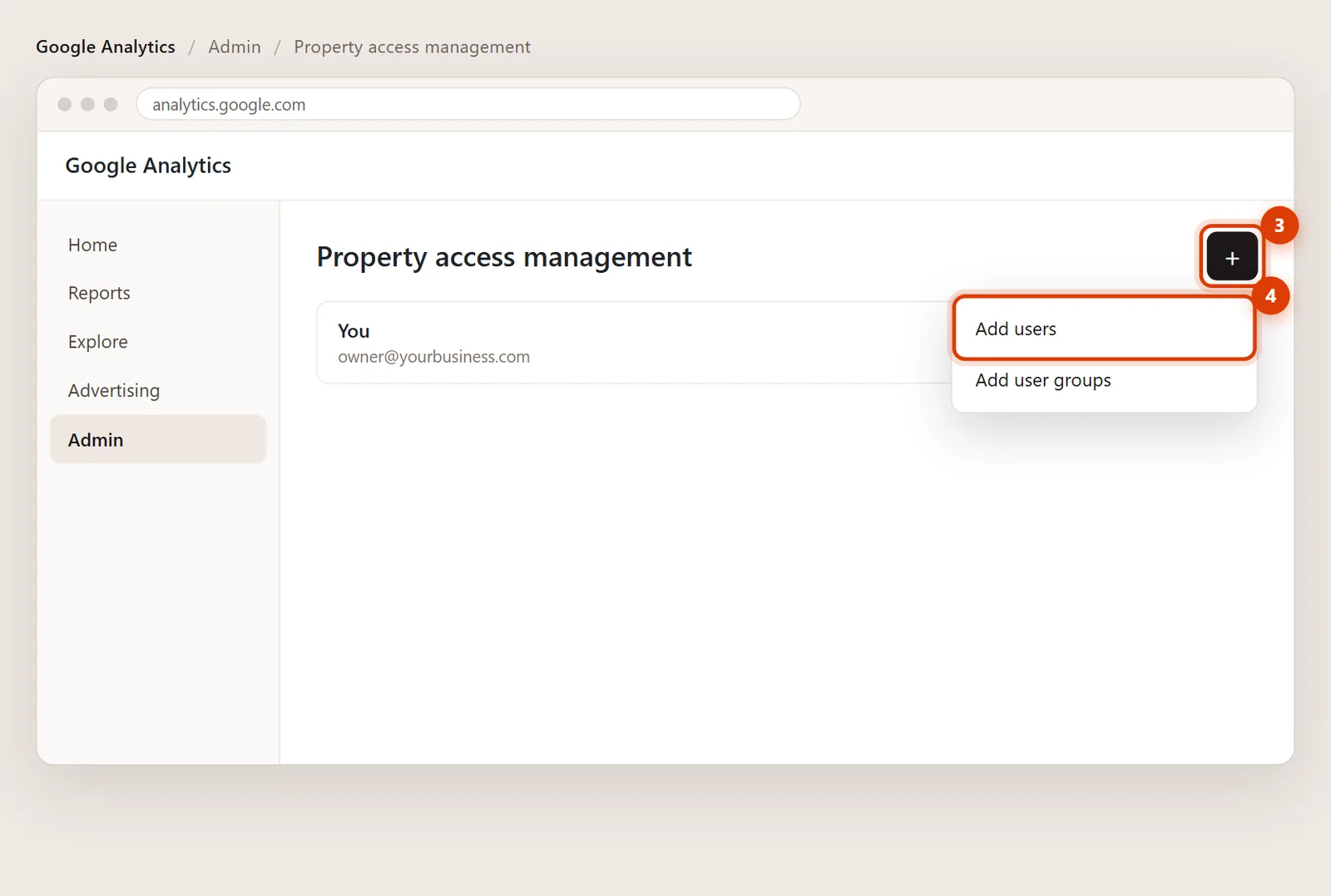
Click the plus button, then Add users
In the top right, click the blue + and choose Add users.
Type my email and pick the role
Enter info@lerws.com in Email addresses and leave Notify new users by email ticked.
Under Standard roles, choose Administrator if I’m managing your tracking and connections. If you’d rather keep control of who has access, Editor works for almost everything I do.
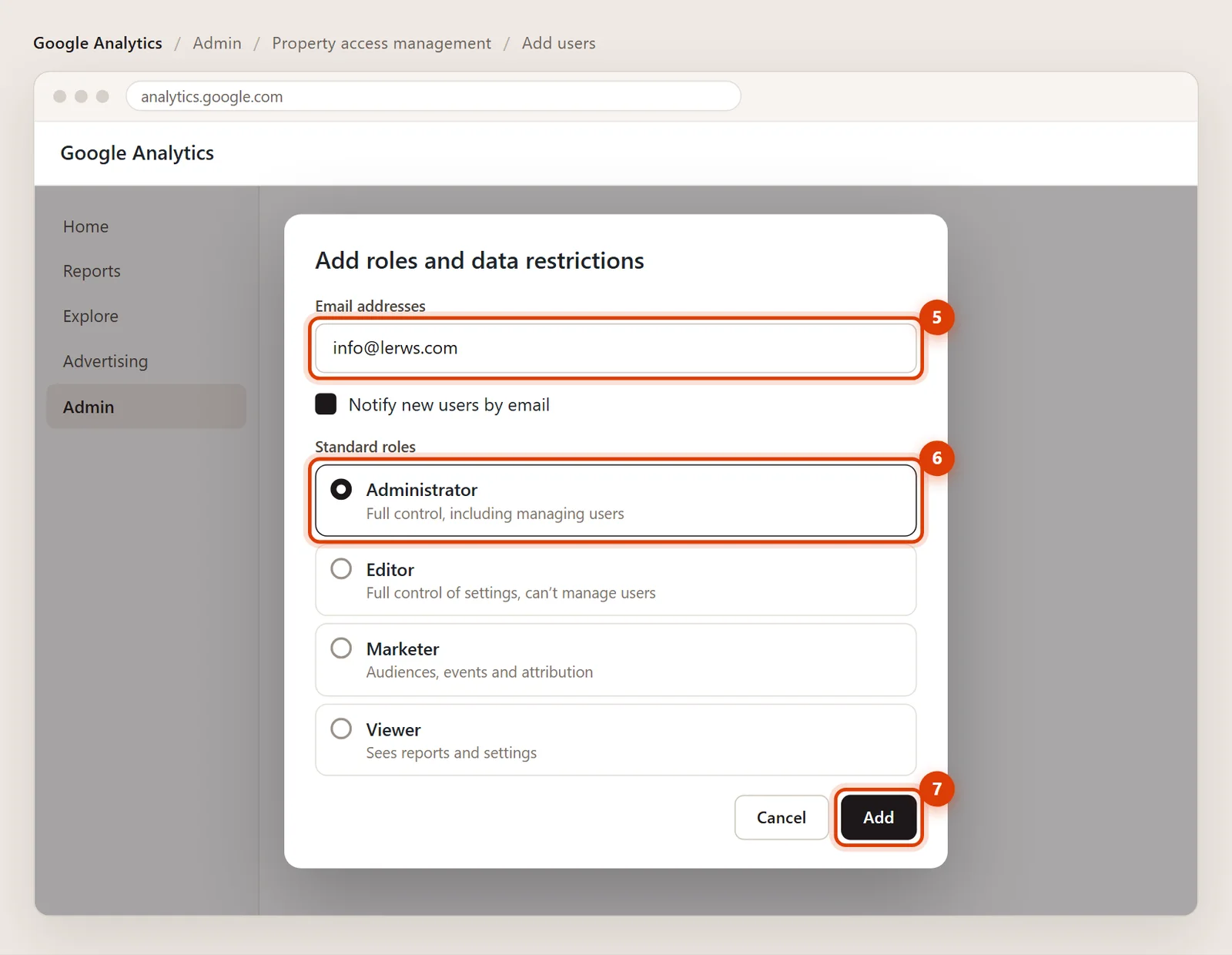
Click Add
Click Add in the top right. That’s it: there’s no invite to accept, so I have access as soon as you save. Send me a quick note so I know it’s done.
Removing my access later
Go back to Admin > Property access management, click my row, then the three dots and Remove access. Nothing else in your account changes.
Google Analytics only accepts addresses connected to a Google account. Double-check the spelling first. If it still won’t take it, send me a note and I’ll confirm the right address to use.
Administrator lets me manage everything, including links to Google Ads and Search Console. Editor lets me change settings and tracking but not add or remove people. Viewer is read-only, enough for reports but not for fixing tracking.
No. You stay the owner. I get my own login, and you can change my role or remove me at any time from the same screen.