
Search Console is where Google reports which of your pages are in its results, what people searched to find you, and any problems it found. I use it to submit your sitemap, check new pages and fix errors.
- You’ll need: Owner access to the Search Console property.
- Sign in at search.google.com/search-console (opens in a new tab) and pick your website in the property menu at the top left.
- Only owners can add people. If you don’t see Users and permissions, the owner needs to do this.
- My email for the invite: info@lerws.com
Open Settings
In the left menu, click Settings near the bottom.
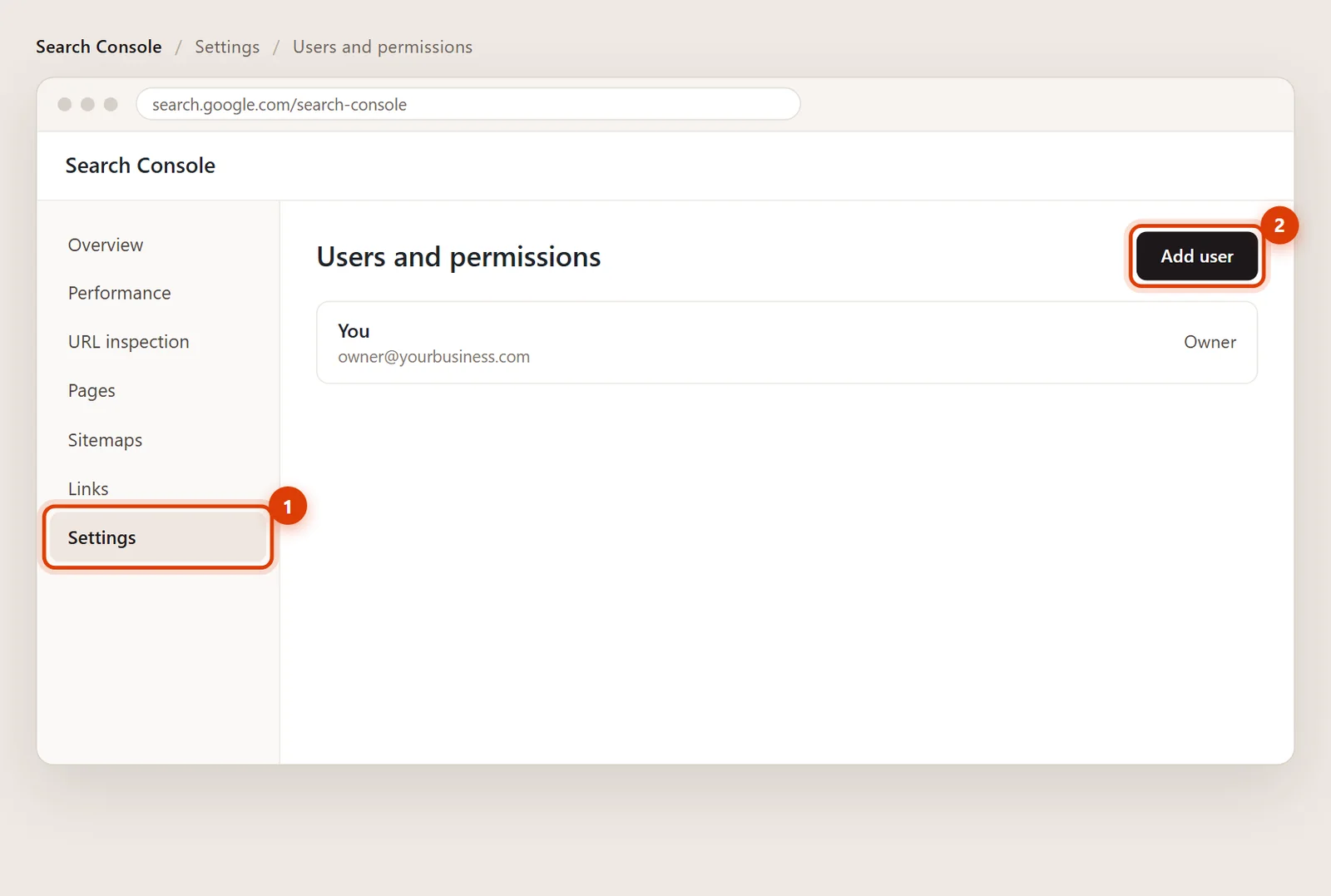
Click Users and permissions, then Add user
Click Users and permissions. You’ll see everyone who has access. Click Add user in the top right.
Enter my email and choose Full
Type info@lerws.com and set Permission to Full. Full lets me submit sitemaps and request indexing. Restricted is view-only.
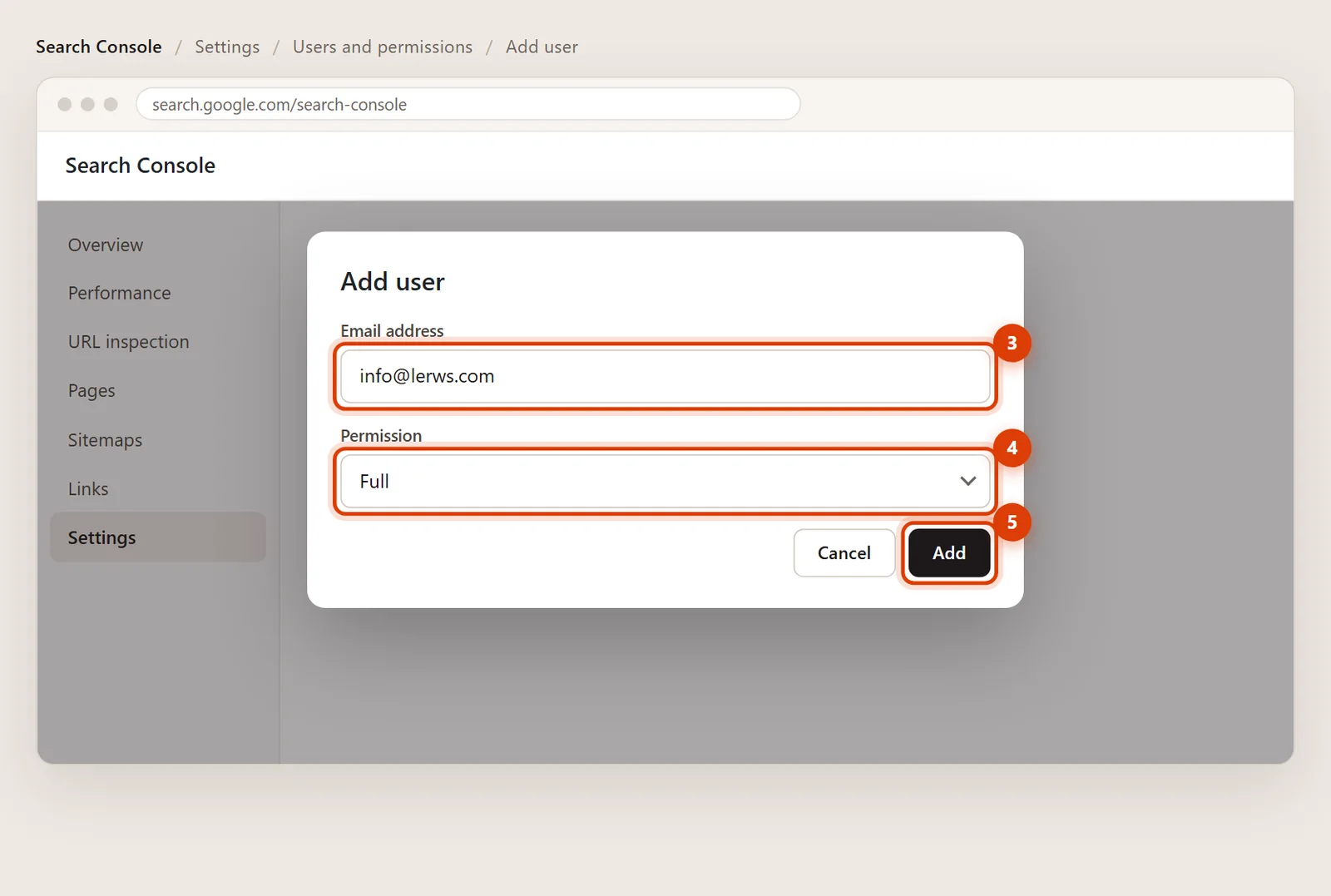
Click Add
Click Add. Access starts right away; there’s nothing for me to accept. A quick note lets me know to look.
Removing my access later
Go back to Settings > Users and permissions, click the three dots next to my email and choose Remove access.
Usually not. Full access covers sitemaps, indexing requests and reports. If I need to add other people for you, you can make me a delegated owner later.
Then it hasn’t been verified yet. Follow how to verify your WordPress site in Search Console, or let me set it up.