
HighLevel (also called GoHighLevel or LeadConnector) runs your CRM, forms, calendars and automations. HighLevel renamed My Staff to Users in 2026, so your screen may show either name. Everything else works the same.
- You’ll need: Admin access to your HighLevel sub-account.
- Log in to your HighLevel account and open the sub-account for your business (most clients only have one).
- You need to be an Admin of the sub-account.
- My email for the invite: info@lerws.com
Open Settings, then Users
Click Settings at the bottom of the left menu, then Users. On older screens it’s called My Staff.
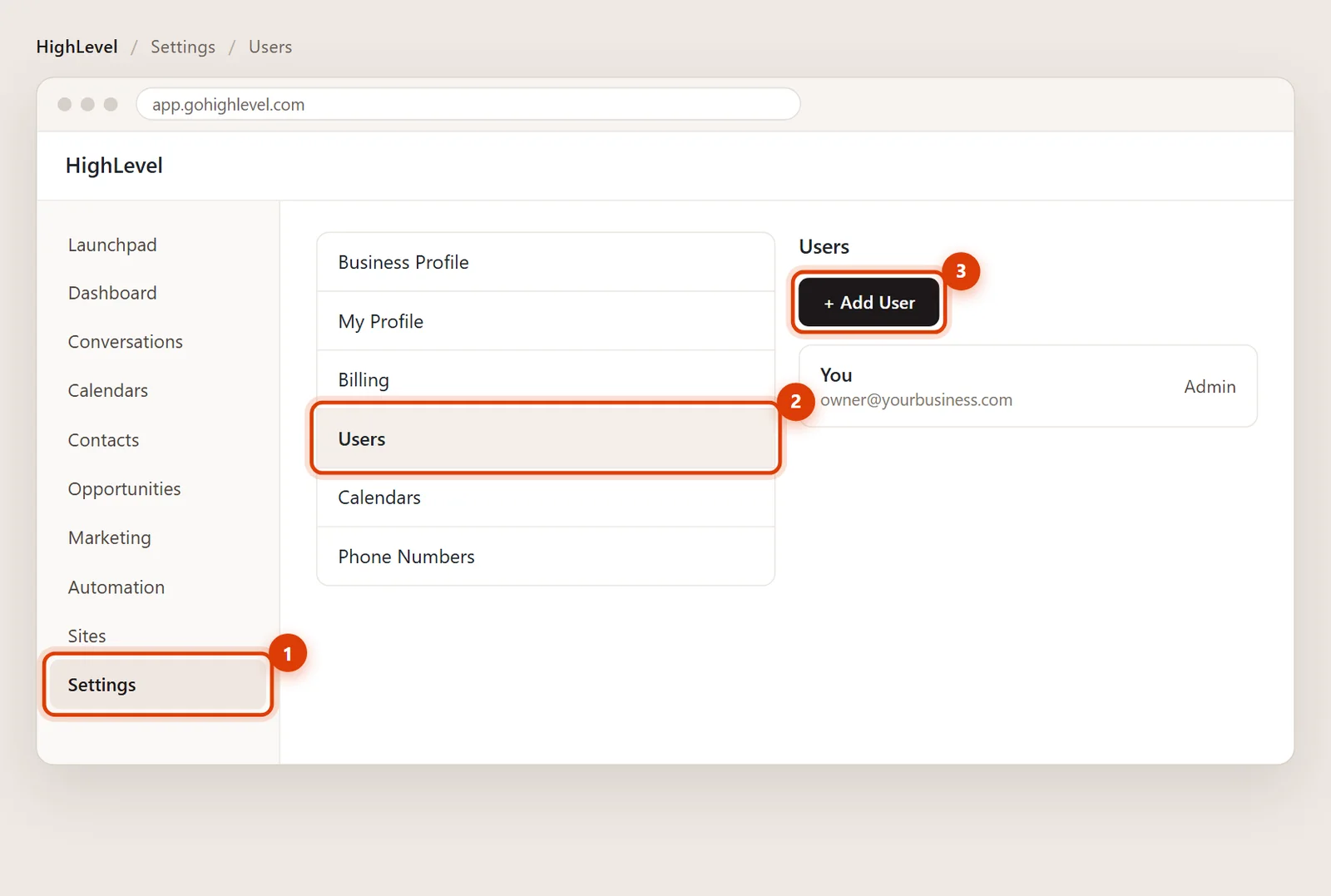
Click Add User
Click + Add User (older screens: + Add Employee).
Fill in my details
First name Ed, last name Romero, email info@lerws.com. Leave the phone blank or use (813) 220-6130. You don’t need to set a password: HighLevel emails me a link to set my own.
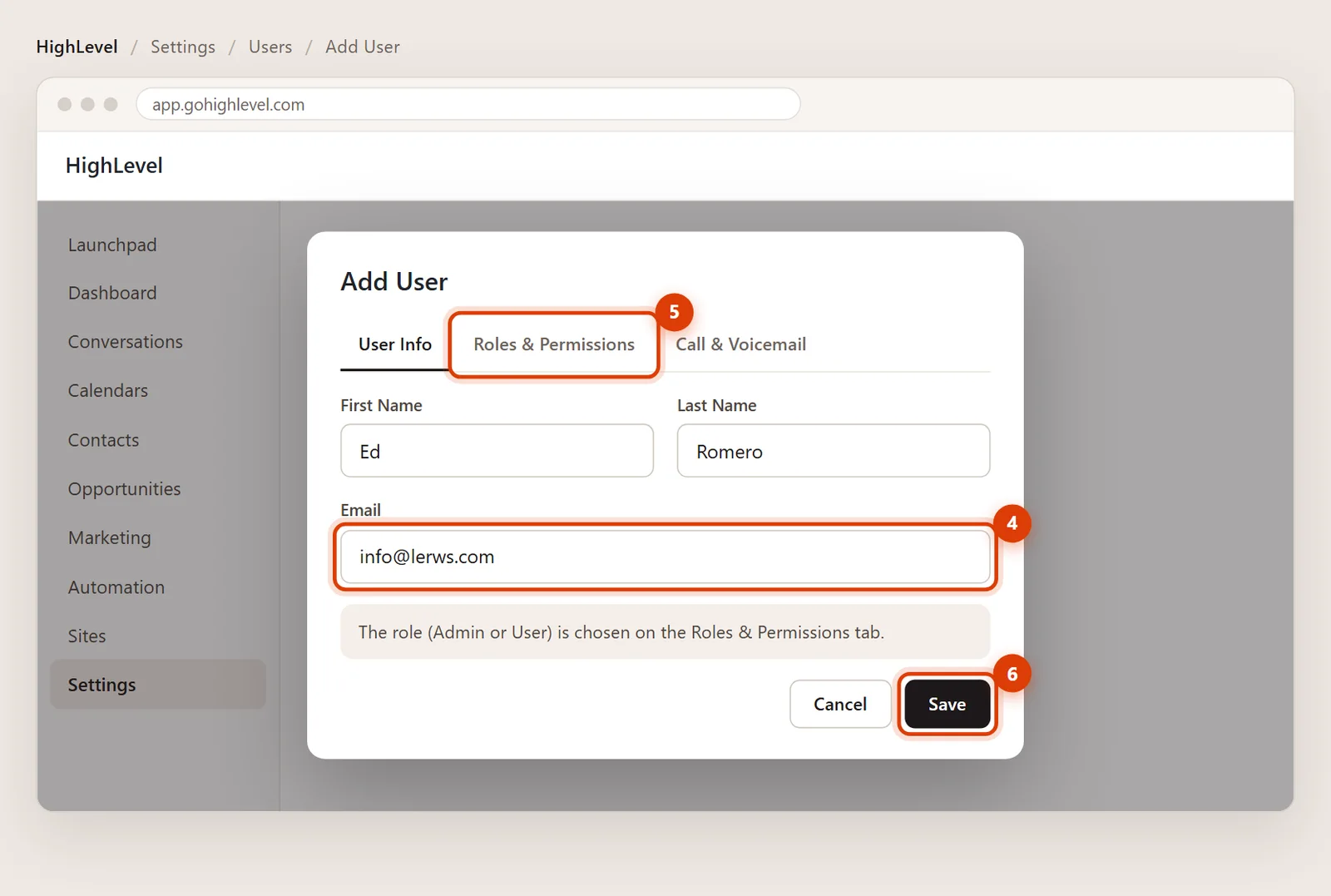
Choose the role on Roles & Permissions
Open the Roles & Permissions tab and pick Admin if I’m building or maintaining your funnels, forms and automations. If you only want me in certain areas, pick User and switch on just those modules.
Click Save
Click Save. I get an invite email, set my password and I’m in. If the link expires, click Verification Email next to my name on the Users page to resend it.
Removing my access later
Go to Settings > Users, click the three dots next to my name and delete my user. Your contacts, automations and history stay exactly as they are.
That happens when an address already has a HighLevel login with another agency. Send me a note and I’ll give you an alternate address to use.
Yes, but only the agency that owns your sub-account today can start a transfer. If you’d like that, I’ll coordinate it with them and send you my agency’s relationship number.