
Please don’t send me your own WordPress password. A separate login for me means you can see what I changed, keep your password private and switch my access off any time without affecting yours.
- You’ll need: An administrator login to your WordPress site.
- Log in to your site’s dashboard. It’s usually your website address followed by /wp-admin, like yourbusiness.com/wp-admin.
- You need the Administrator role yourself. If you don’t see Users in the left menu, ask whoever built your site.
- My email for the account: info@lerws.com
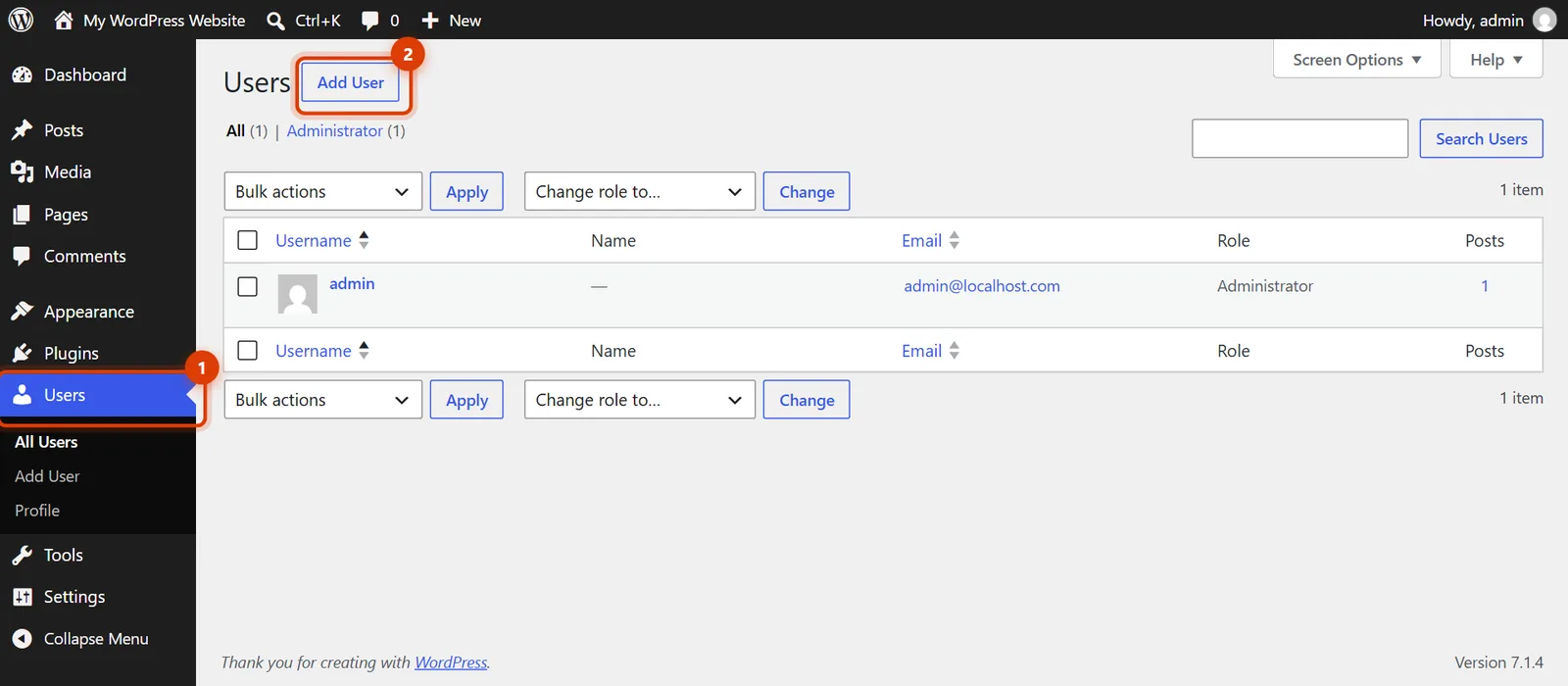
Go to Users, then Add User
In the left menu, hover over Users and click Add User. You can also click the Add User button at the top of the Users list.
Fill in my details
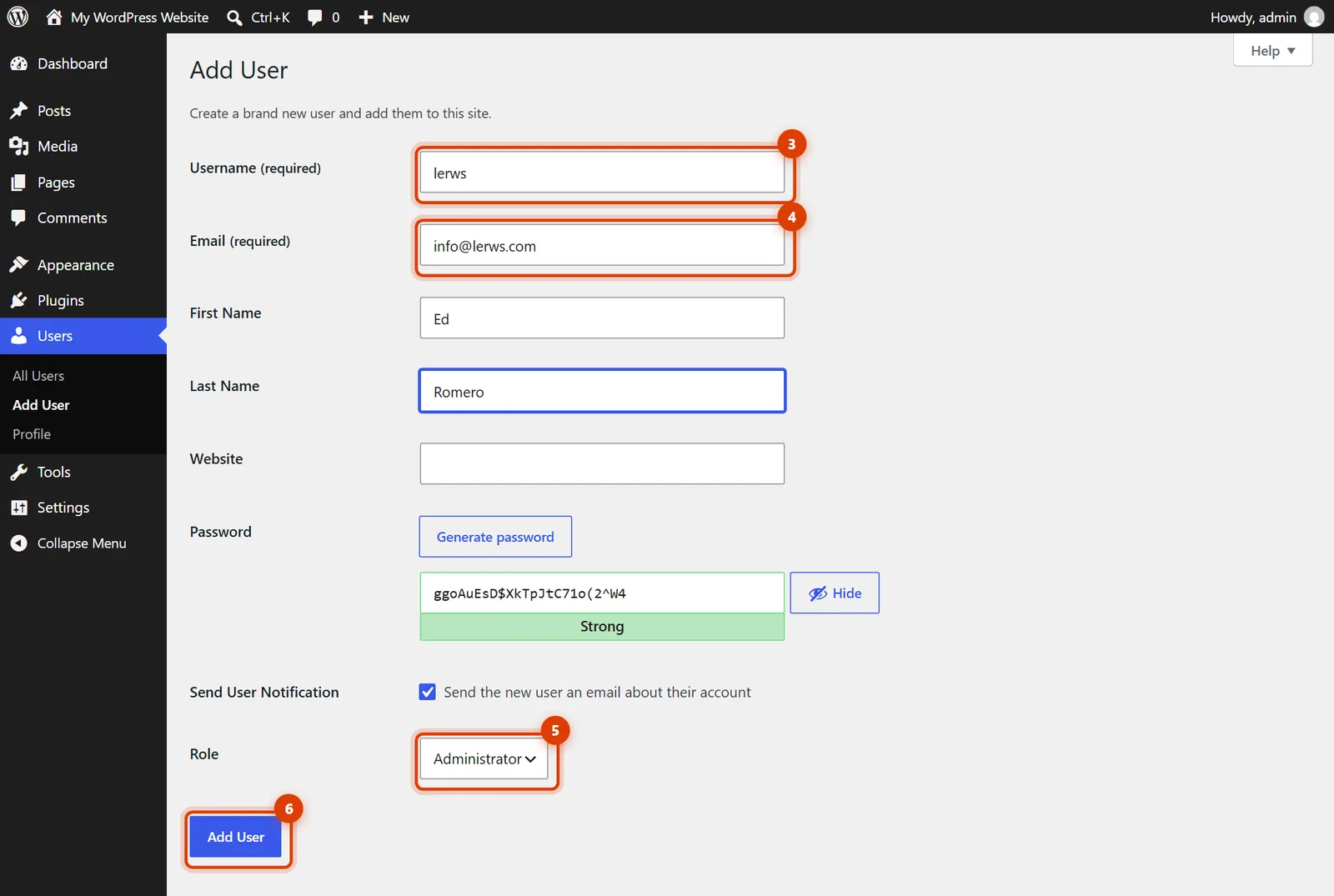
Username: lerws. Email: info@lerws.com. First name Ed, last name Romero. You don’t need to choose a password: WordPress emails me a link to set my own.
Set the role to Administrator
Leave Send the new user an email about their account ticked. In Role, choose Administrator so I can update plugins, fix settings and add tracking codes. For content-only work, Editor is enough.
Click Add User
Click Add User at the bottom. WordPress sends me my login details, and I’ll let you know once I’m in.
Removing my access later
Go to Users, hover over my name and click Delete. WordPress asks what to do with anything I wrote: choose Attribute all content to and pick your own user, so nothing is lost.
I may already have a login from an earlier project. Check the Users list for info@lerws.com and change its role to Administrator instead of adding a new one.
Your login isn’t an Administrator. The person who set up your site can add me, or upgrade your login first.
It’s the access a developer needs to update and fix things. Your site stays yours, your own login is untouched, and you can remove mine in two clicks.