
Most local customers see your Google listing before they ever see your website. As a manager I can update your hours, services, photos and posts, and answer reviews if you want me to. Managers can’t remove you or delete the profile.
- You’ll need: Owner access to the Business Profile.
- On a computer, sign in to the Google account that owns your listing.
- Search Google for my business, or for your business name. Your profile’s controls appear at the top of the results.
- My email for the invite: info@lerws.com
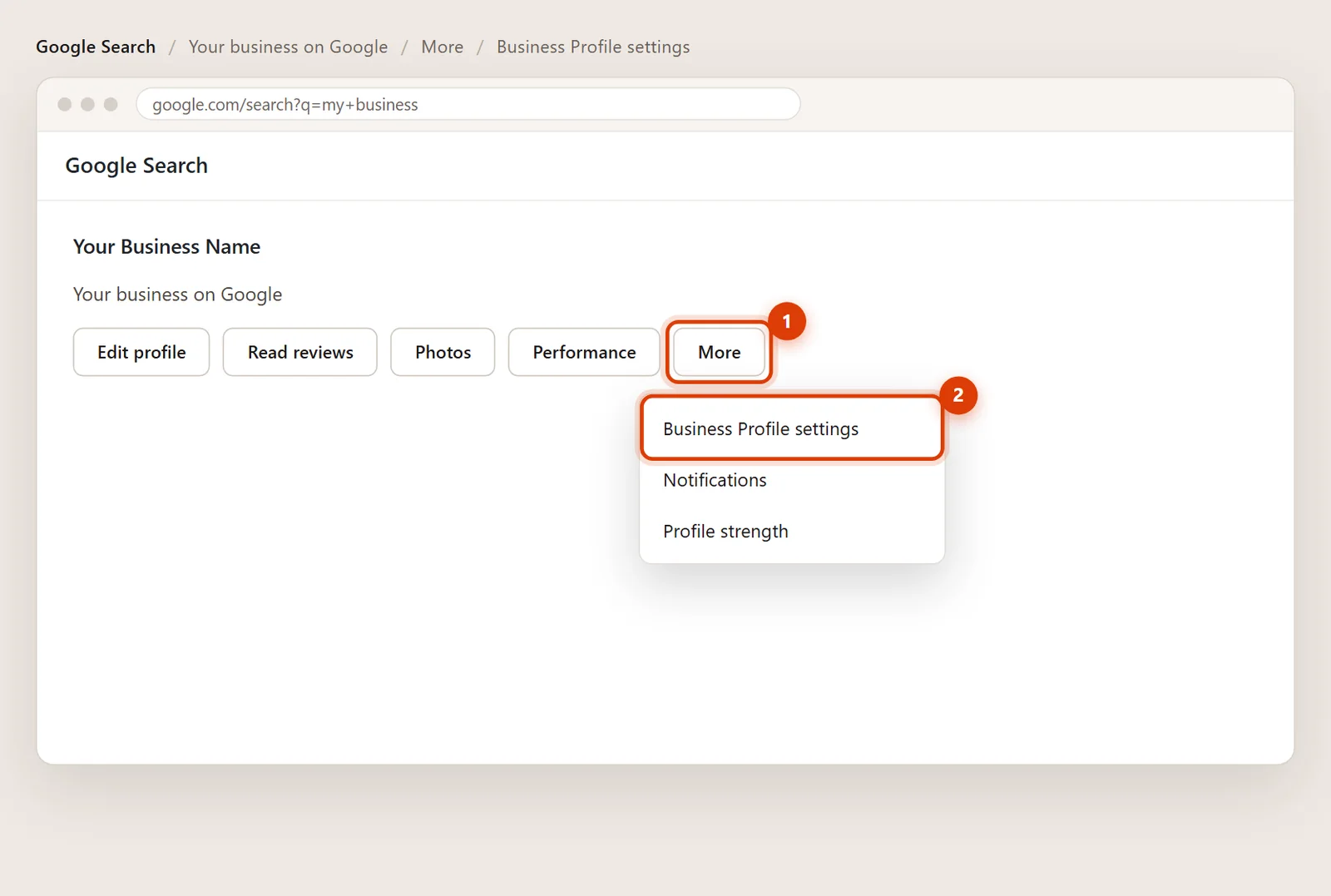
Open Business Profile settings
In your profile’s controls, click More (the three dots), then Business Profile settings.
Click People and access
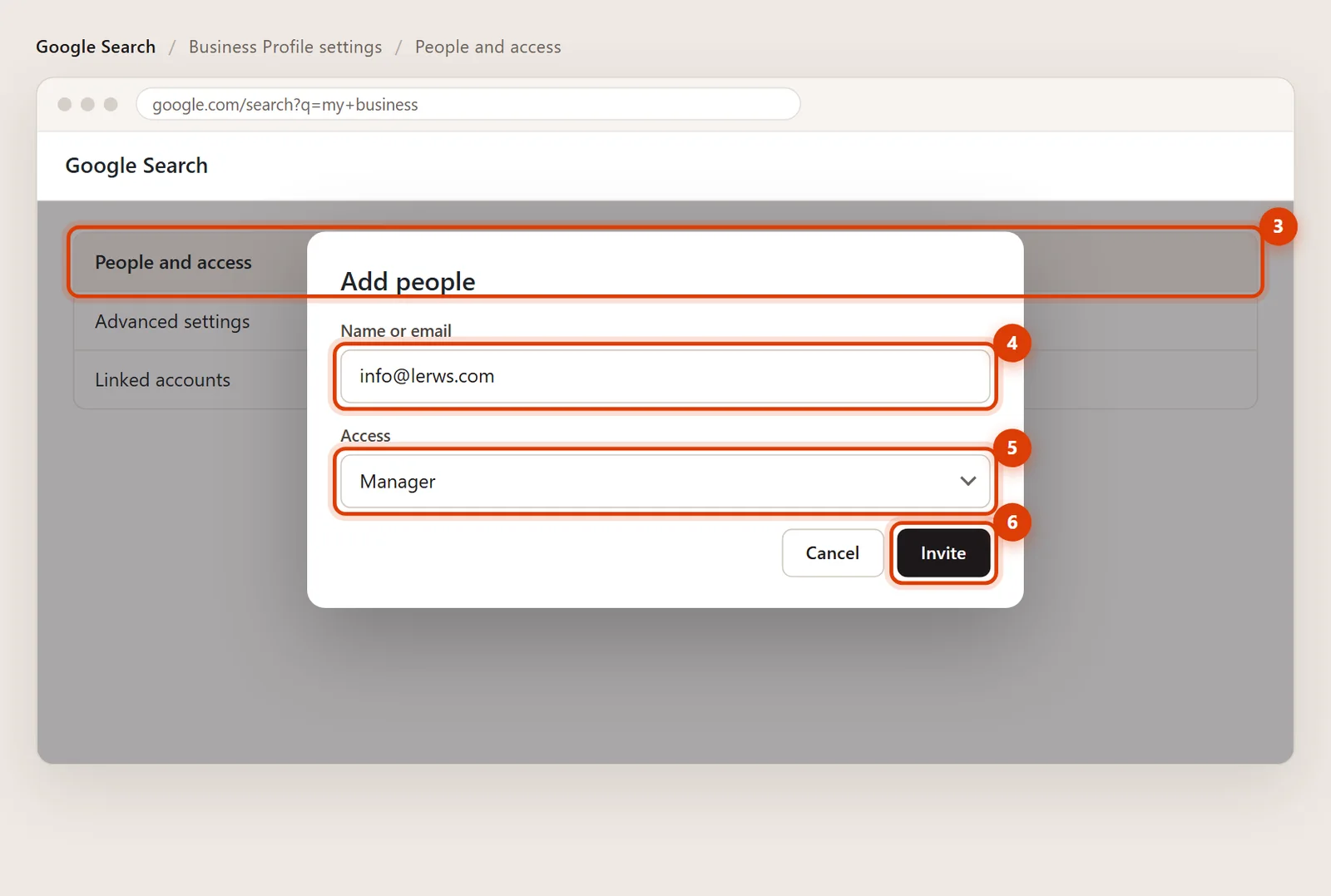
Click People and access, then Add at the top left.
Enter my email and choose Manager
Type info@lerws.com. Under Access, choose Manager.
Click Invite
Click Invite. Once I accept, I show up in People and access and Google sends you an email.
Removing my access later
Go back to Business Profile settings > People and access, click my name and choose Remove. A pending invite can be cancelled under Pending.
Manager. It covers everything I do day to day. Owners can also add and remove people and delete the profile, which should stay with you.
Make sure you’re signed in with the Google account that owns it. If you’re not sure which account that is, send me a note and I’ll help you track it down.