
If your site uses Google Tag Manager, most tracking (Analytics, Google Ads conversions, the Meta pixel, call tracking) lives inside it instead of in your website’s code. Inviting me lets me change those tags safely, with a version history you can always roll back.
- You’ll need: Administrator access to the Tag Manager account.
- Sign in at tagmanager.google.com (opens in a new tab) and open the container for your website (it starts with GTM-).
- You need to be an Administrator of the account to add people.
- My email for the invite: info@lerws.com
Open the Admin tab
At the top of the screen, click Admin.
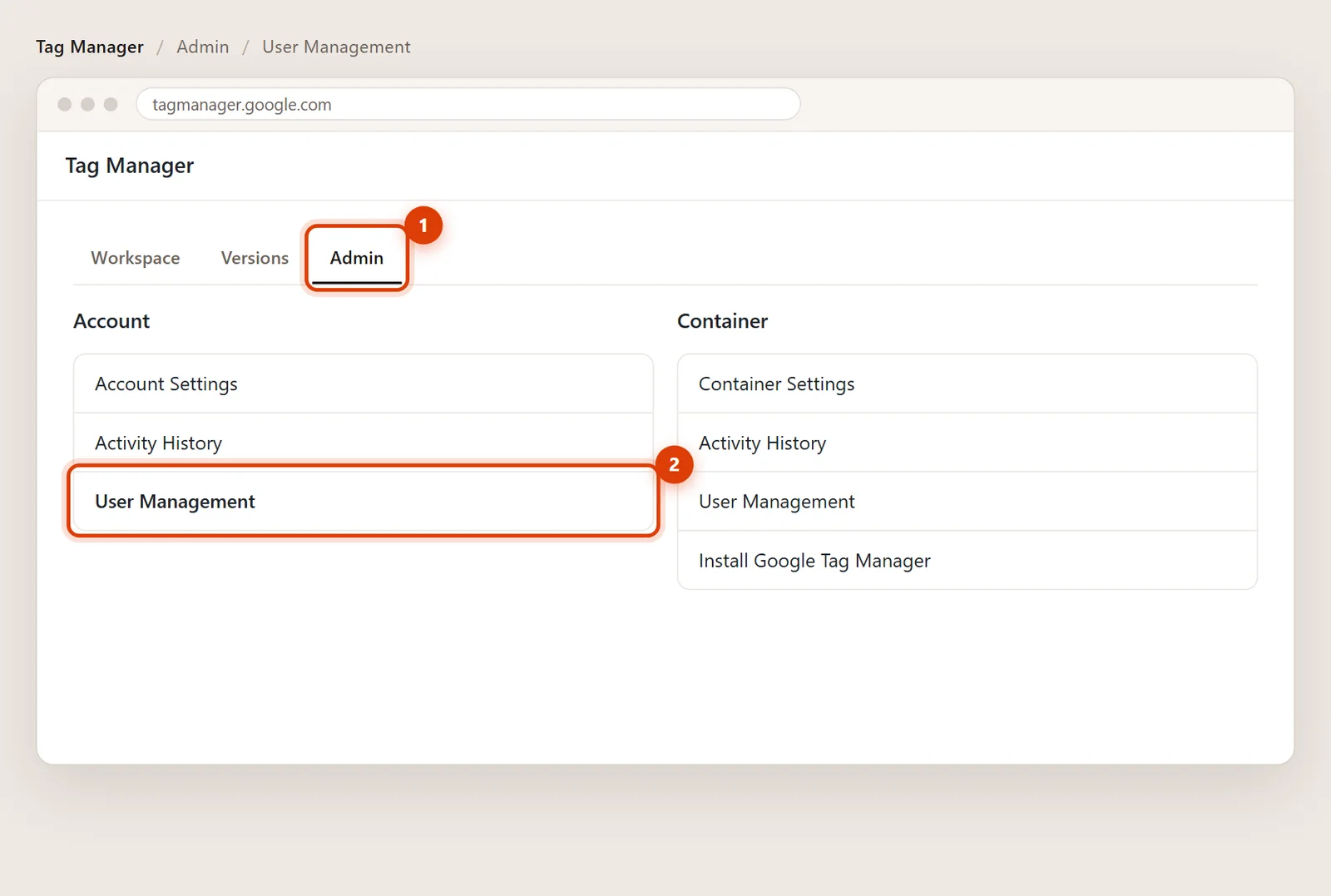
Click User Management under Account
In the Account column, click User Management, then the blue + and Add users.
Enter my email and set the permissions
Type info@lerws.com. Leave Account permissions on User.
Under Container permissions, click your website’s container and choose Publish. Publish lets me make changes and put them live. Anything less and I can only prepare changes for you to publish.
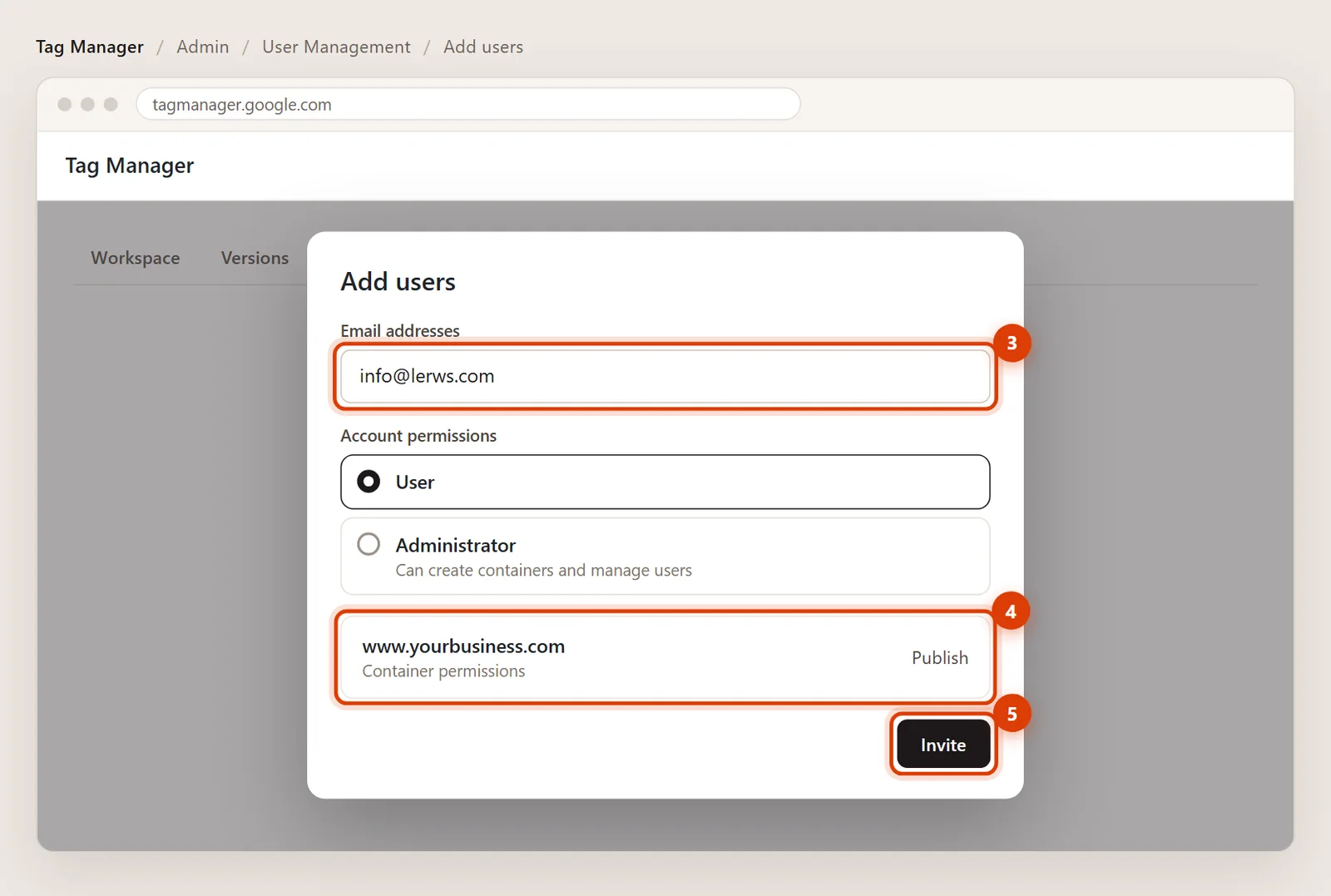
Click Invite
Click Invite. I’ll get an email and accept it on my side. You’ll see me listed as soon as I do.
Removing my access later
Open Admin > User Management, tick my email and choose Remove. Every change I made stays in the version history.
Only if you want me to create new containers or add other people. For tracking work, User with Publish on your container is enough.
Yes. Every publish creates a version, so any change can be undone in a click from the Versions tab.