
Meta used to call this Business Manager; it’s now your business portfolio, managed in Meta Business Suite. Adding LER as a partner is the cleanest way to work together: everything stays in your portfolio, and you can see and remove my access in one place.
- You’ll need: Full control of your Meta business portfolio.
- On a computer, go to business.facebook.com (opens in a new tab) and choose your business portfolio.
- You need full control of the portfolio. If Partners is missing in step 2, ask whoever set it up.
- LER’s business portfolio ID: 2448111025211617. It’s safe to share: it only lets you share things with LER, not the other way around.
- No business portfolio? Skip to adding me to your ad account directly.
Open Settings
In Meta Business Suite, click Settings (the gear) at the bottom of the left menu.

Click Partners, then Add
Under Users, click Partners. Click Add and choose Give a partner access to your assets.
Enter LER’s business portfolio ID
Paste LER’s ID, 2448111025211617, and click Next. Meta shows the name LER Web Services so you know it’s the right business.
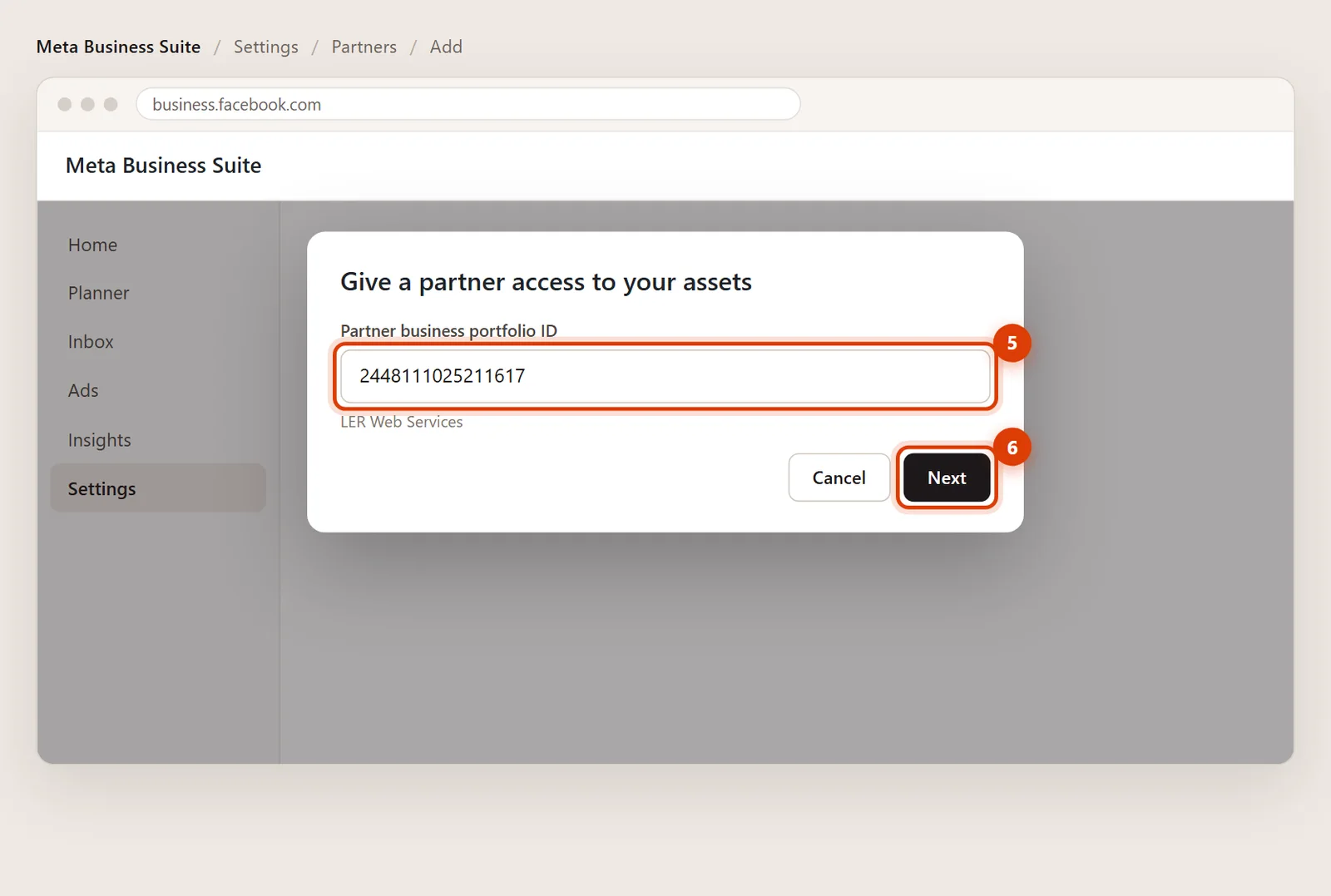
Choose the assets and the access
Pick each asset on the left and tick it:
- Ad accounts: Partial access with Manage campaigns. Choose full access only if I’m also handling billing and permissions.
- Pages: Partial access with Content, Messages, Ads and Insights, or full control. Even with full control, a partner can’t delete your Page.
- Datasets & pixels: full access (Manage events dataset) if I’m setting up your tracking.
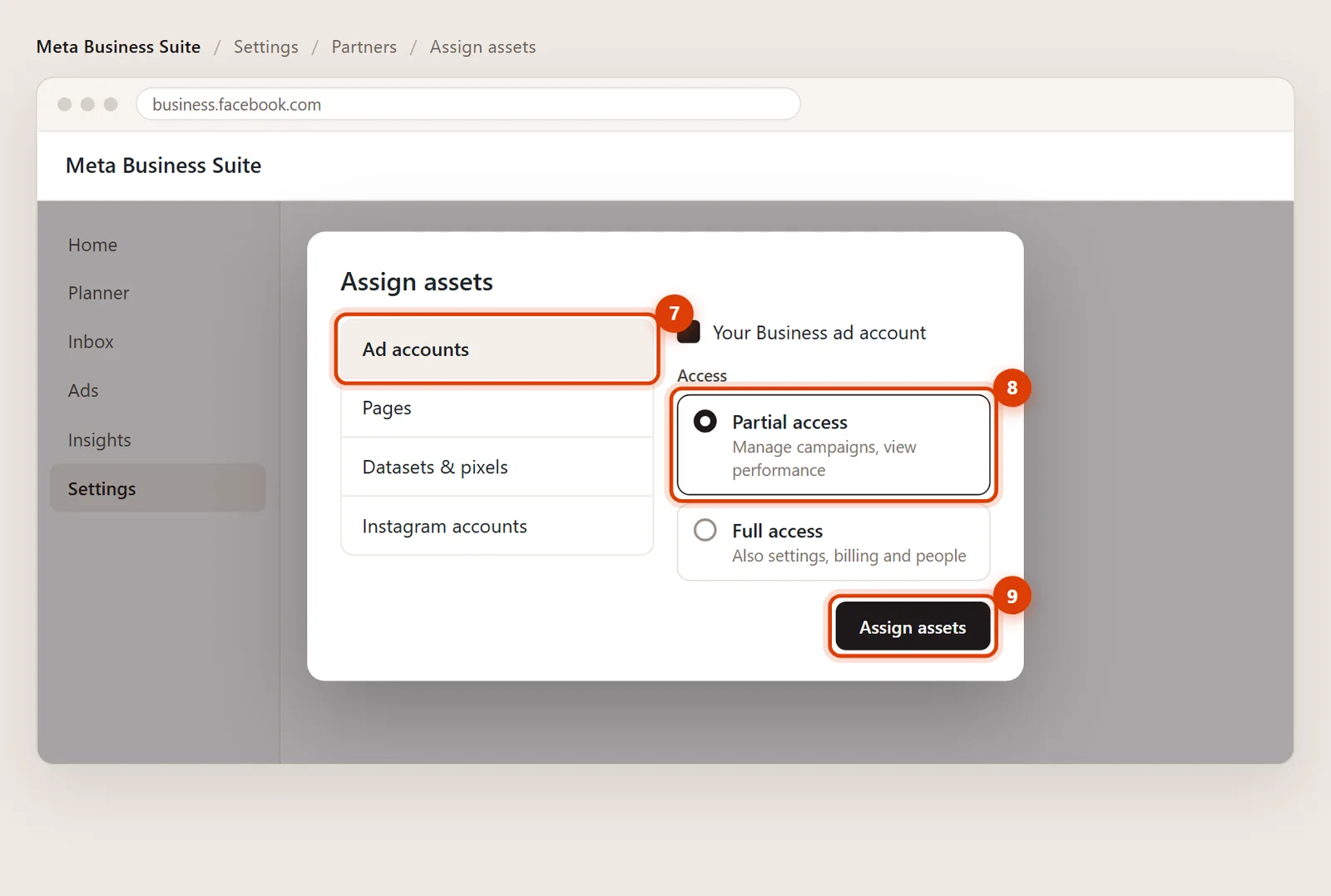
Click Assign assets
Click Assign assets. If anyone else has full control of your portfolio, Meta may ask them to approve. Sharing a pixel also asks you to confirm the business relationship. Then everything appears in my portfolio and I can get started.
No business portfolio? Add me to the ad account
If your ad account isn’t in a business portfolio:
- In Ads Manager, open Ad account settings.
- Under Ad account roles, click Add people.
- Search for Ed Romero. Meta only lets you pick Facebook friends here, so add me as a friend first if I don’t show up.
- Choose Advertiser and click Confirm.
Advertiser lets me run ads with your existing payment method, but not change payment methods or people.
Removing my access later
Go to Settings > Partners, click LER Web Services and remove any asset, or remove LER completely. Nothing in your ad account, Page or pixel is deleted.
Yes. A partner only gets the assets and tasks you pick, can’t pass them on to anyone else, and can’t delete your Page. You see and control it all under Settings > Partners.
It’s 2448111025211617. When you paste it, Meta shows LER Web Services, so you know it’s the right business.
Yes. In Settings > Ad accounts, select the account and use Assign partner with the same ID. Your Page and pixel stay unshared.