
Please don’t send me your Instagram password. Sharing the account through your business portfolio lets me schedule posts, answer messages and run ads from my own login, and you can take it back any time.
- You’ll need: Full control of your Meta business portfolio and your Instagram login.
- Your Instagram must be a professional account (business or creator). You can switch for free in the Instagram app under Settings, Account type and tools.
- On a computer, open business.facebook.com (opens in a new tab) and choose your business portfolio.
- Already added LER as a partner for your ads? Then skip to step 4.
Open Settings, then Instagram accounts
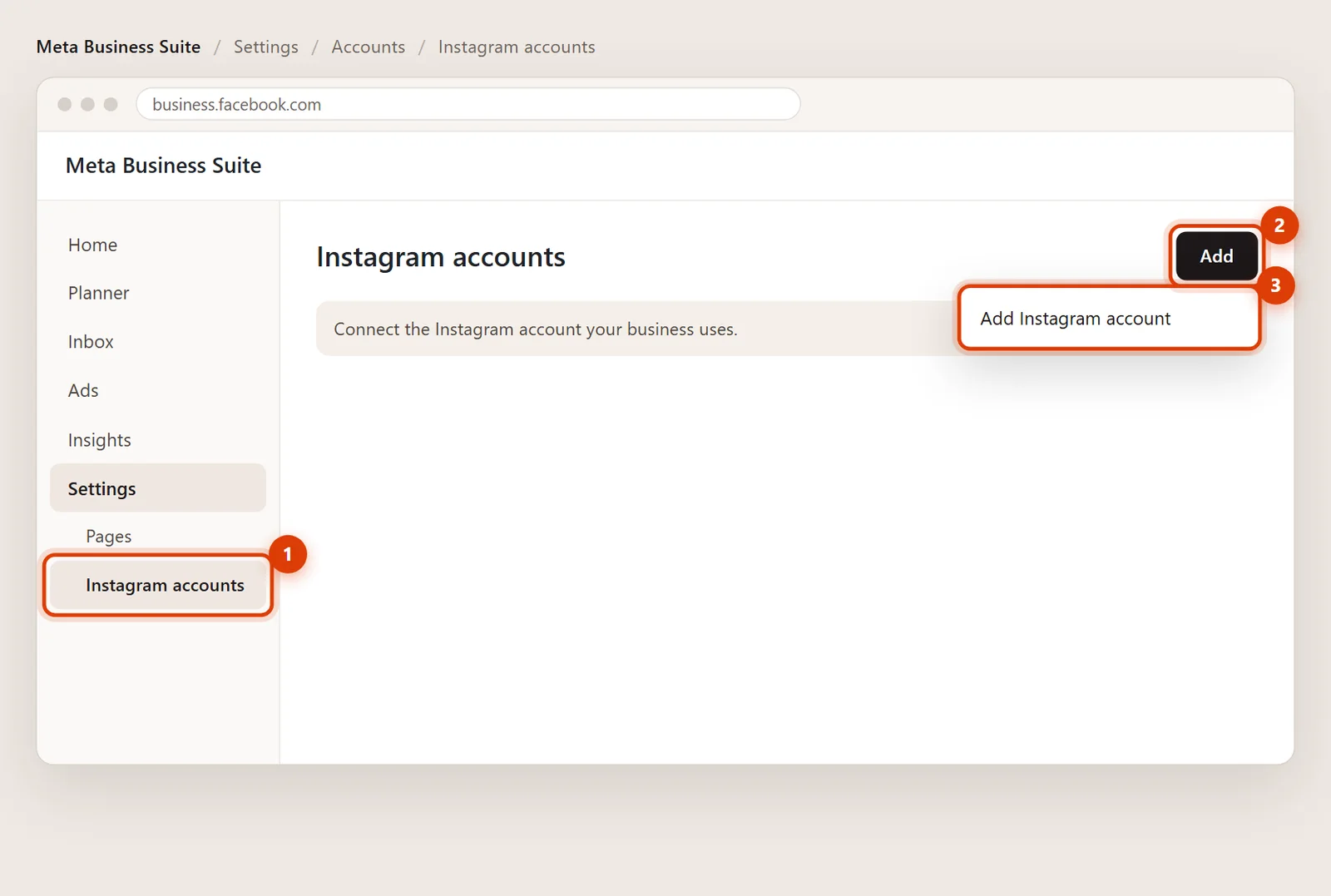
Click Settings (the gear). Under Accounts, click Instagram accounts.
Connect your Instagram account
Click Add, then Add Instagram account. Log in to Instagram in the window that opens (enter the code if Instagram asks) and click Confirm. Skip this if your account is already listed.
Add LER as a partner
Go to Settings > Partners, click Add, choose Give a partner access to your assets and paste LER’s business portfolio ID, 2448111025211617. The full walkthrough is in how to give LER access to Meta ads.
Share the Instagram account
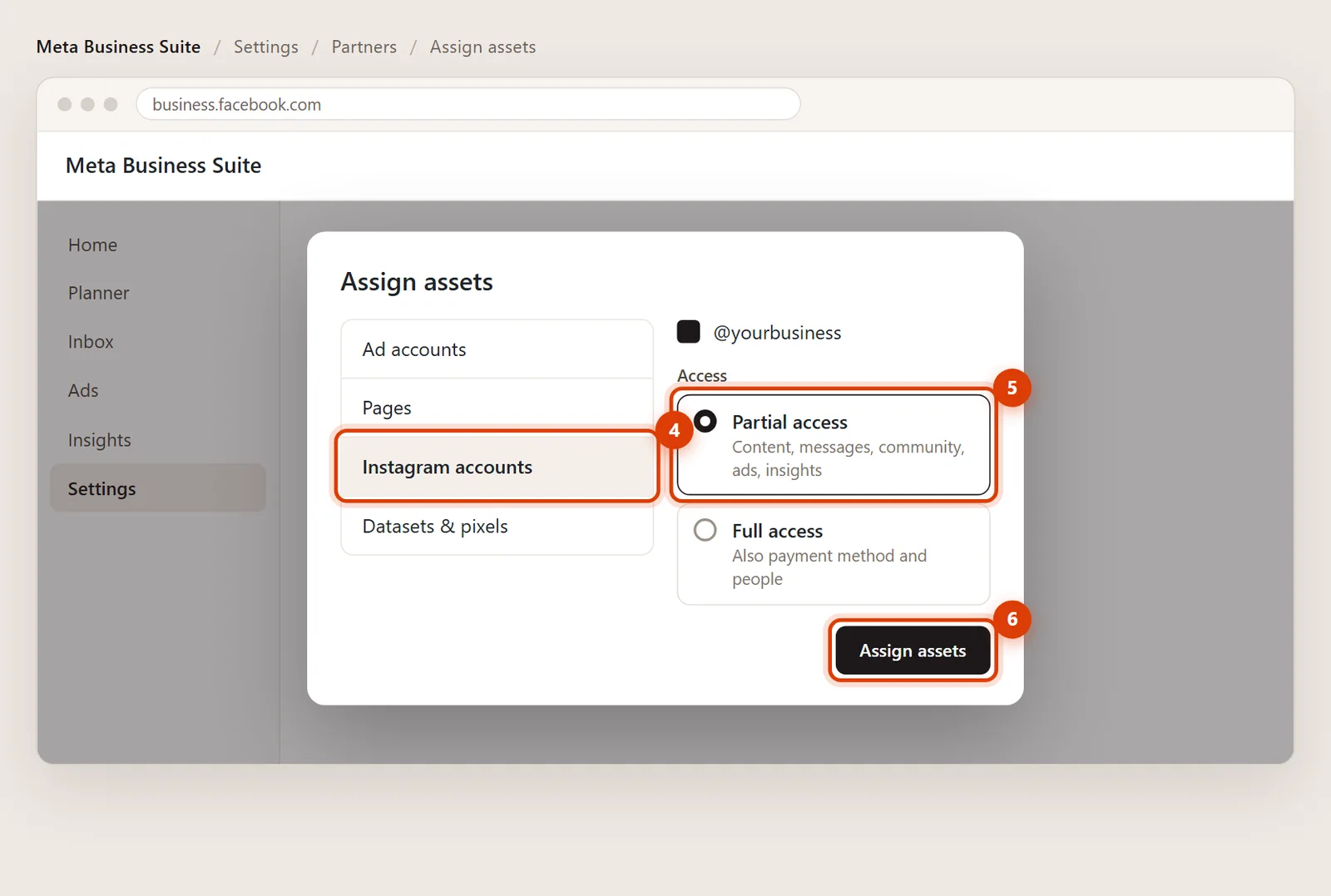
Pick Instagram accounts on the left, tick your account and choose Partial access with Content, Messages, Community activity, Ads and Insights. Click Assign assets.
Removing my access later
In Settings > Partners, click LER Web Services and remove the Instagram account. Your posts, followers and messages aren’t affected.
Please don’t. Instagram may lock the account for suspicious logins, and a shared password can’t be taken back without changing it everywhere. Partner access is safer for both of us.
Right, and it should be yours. That’s why you share it with LER as a partner instead of moving it into my portfolio.