
Facebook gives Page access to people, not email addresses, so you’ll add my Facebook profile. If your Page belongs to a Meta business portfolio, skip this guide and use the business portfolio steps instead: they cover your Page, ad account and pixel in one go.
- You’ll need: Full control of the Page.
- Use a computer and log in to the Facebook profile that has full control of your Page.
- Have my name ready: Ed Romero. If several profiles come up, use the email address I send you to find me.
Switch into your Page
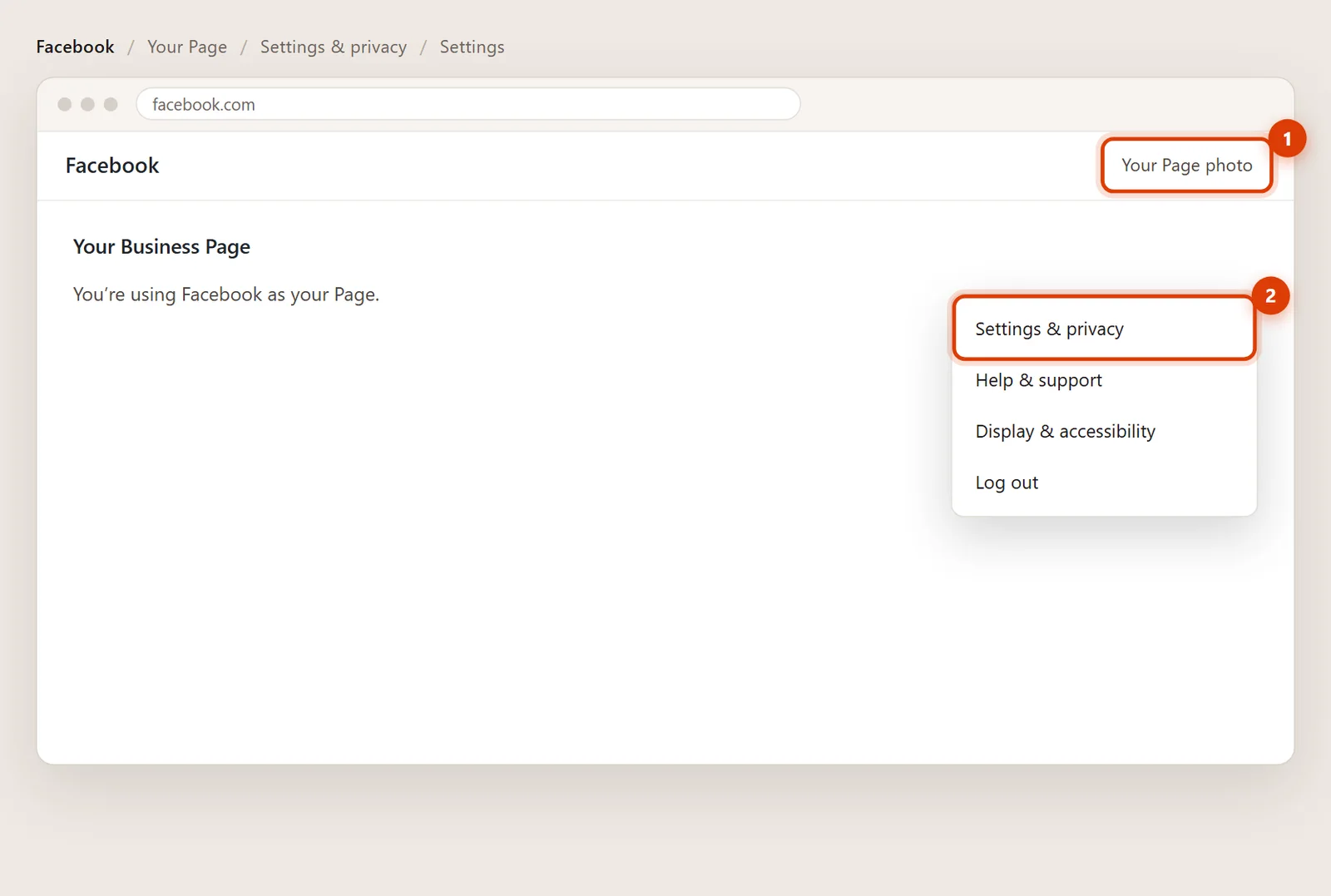
Click your profile photo at the top right, then See all profiles and choose your Page. You’re now using Facebook as the Page.
Open Settings
Click the Page’s photo at the top right again, then Settings & privacy and Settings.
Go to Page setup, then Page access
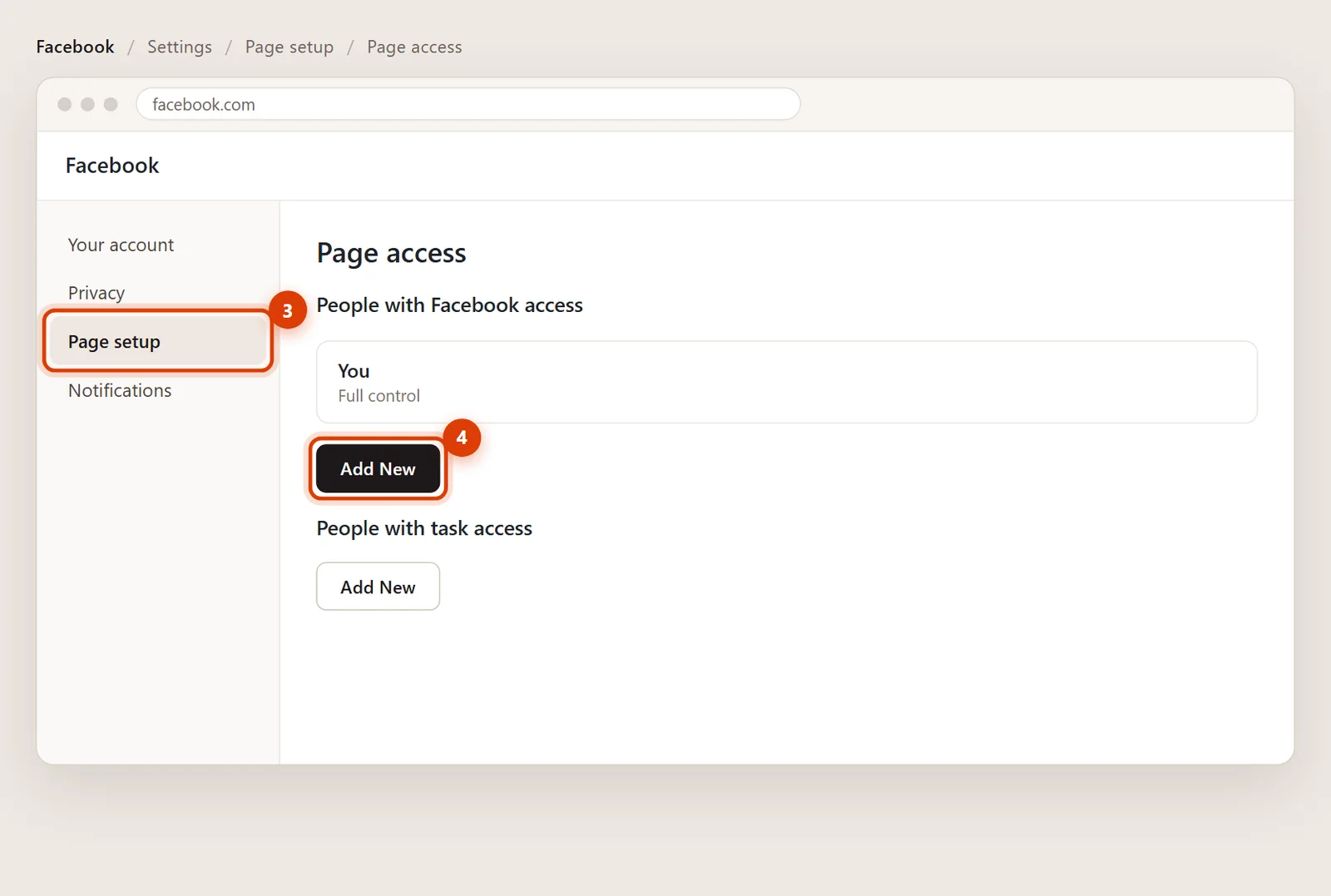
In the left menu, click Page setup, then Page access. Next to People with Facebook access, click Add New, then Next.
Find me and give access
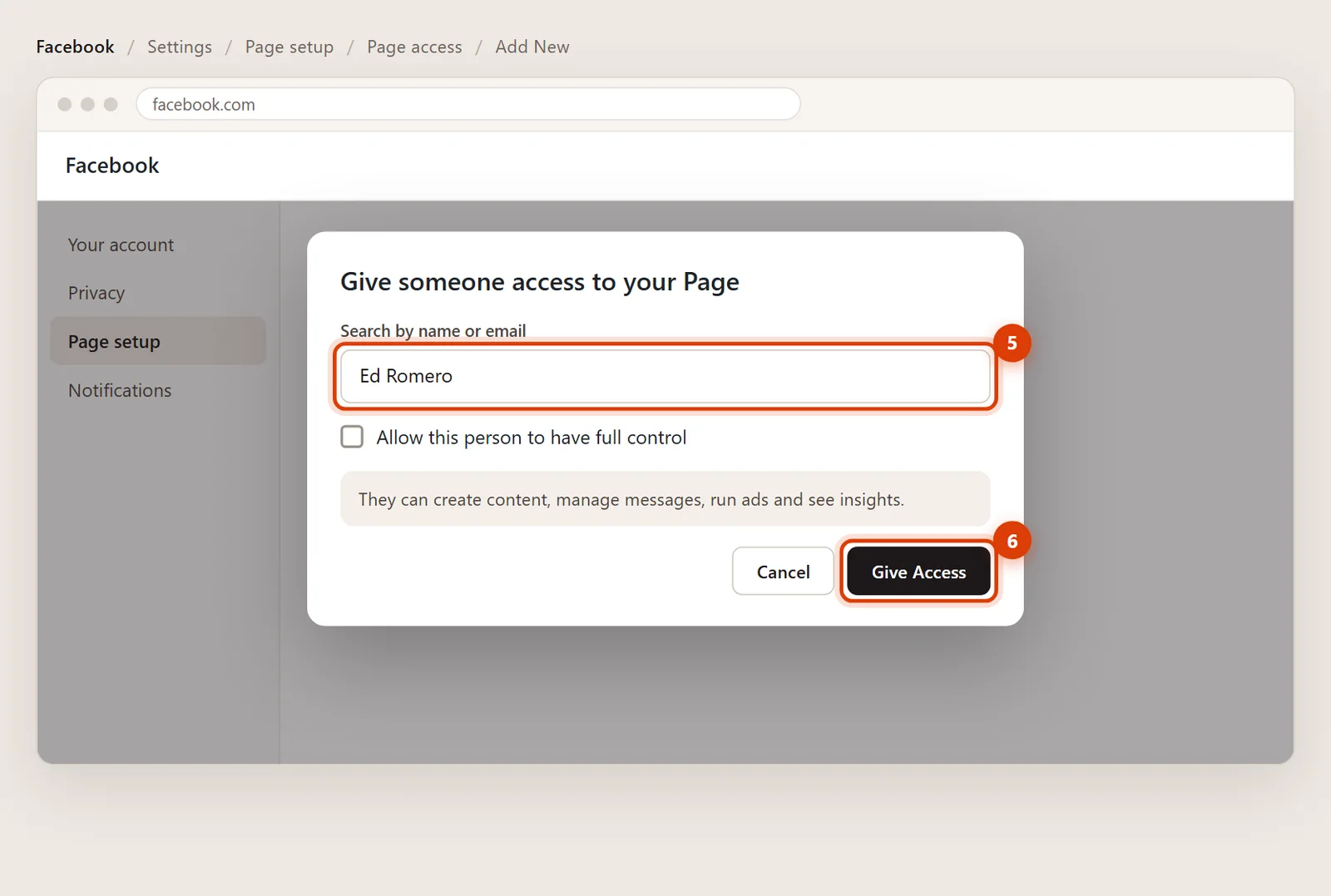
Type Ed Romero and click my profile. Leave full control switched off: partial control covers posts, messages, ads, insights and linking Instagram. Click Give Access.
Confirm with your password
Facebook asks for your password to confirm. I get a notification and accept it on my side, and then I’m listed under Page access.
Removing my access later
Go back to Settings > Page setup > Page access, click the three dots next to my name and choose Remove.
No. Full control includes deleting the Page and removing other people, including you. Keep that for yourself and anyone you’d trust with the keys.
Your Page is probably in a Meta business portfolio, where access is managed in Meta Business Suite. Follow the business portfolio steps instead.
An older, narrower kind of access that only works inside Meta Business Suite and Ads Manager. Facebook access with partial control is simpler and does everything I need.